
Dynamic FHIR Logic: Hot-Reloading Business Rules with Groovy
Learn how to extend your HAPI FHIR server at runtime using Groovy scripts, allowing for hot-reloadable Interceptors and Resource Providers.
FHIR
Groovy
Architecture
FHIR servers don’t just handle real-time requests. They also perform “heavy lifting” tasks: reindexing the database after a profile change, exporting millions of resources (Bulk Export), or running terminology updates.
If these jobs aren’t managed correctly, they can consume all your server’s resources and crash your API. In this post, we’ll look at how to control background work in hapi-fhir-groovy.
We categorize background work into two types:
The server exposes an API to list and check the status of active batch tasks.
GET /control/jobs?jobStatus=IN_PROGRESS
This returns a list of job instances, including their start time and progress status (e.g., QUEUED, IN_PROGRESS, COMPLETED, FAILED).
If a massive export is killing your database performance, you can cancel it using the instanceId:
DELETE /control/jobs?instanceId=7c74a5c8...
Thanks to our Dynamic Scripting engine, you can write background jobs in Groovy and push them to the server without a restart.
Use the @EnableScheduling and @Scheduled annotations.
package com.gjergjsheldija.jobs

import com.gjergjsheldija.scripting.api.CustomScript
import org.springframework.scheduling.annotation.EnableScheduling
import org.springframework.scheduling.annotation.Scheduled
import groovy.util.logging.Slf4j

@Slf4j
@CustomScript
@EnableScheduling
class DataCleanupJob {

    @Scheduled(cron = "0 0 1 * * ?") // Runs every day at 1:00 AM
    void cleanup() {
        log.info("Starting maintenance cleanup...")
        // Your logic here
    }
}
You can disable all native job scheduling by setting the JOB_SCHEDULING environment variable to false. This is useful for secondary nodes in a cluster where you only want the primary node to handle background processing.
Running heavy jobs on a live clinical database requires careful consideration of Transaction Isolation:
@Transactional if you’re making multiple writes, or better yet, design your jobs to be Idempotent so they can safely re-run after a crash.Managing background work is about Resource Isolation. By knowing how to monitor, cancel, and inject custom scheduling, you ensure that your server stays responsive to the clinicians and apps that rely on it, even while processing millions of records in the background.
For more details, check doc/background-jobs.md.
Learn how to extend your HAPI FHIR server at runtime using Groovy scripts, allowing for hot-reloadable Interceptors and Resource Providers.

Stop flying blind. Learn how to integrate Prometheus and Grafana to gain real-time insights into your FHIR server's performance and health.

Learn how to dynamically manage FHIR Implementation Guides (IGs) without restarting your server, ensuring your data models stay up to date.

How to implement structured, FHIR-native audit trails that satisfy HIPAA and GDPR requirements using the AuditEvent resource.

How to move beyond static test data by combining the scale of Synthea with the precision of Flexporter to build realistic, custom healthcare environments.

Exploring the strategic value of Logical Models in FHIR architecture: when to use them, why they matter, and how to implement them using FHIR Shorthand (FSH).

A deep dive into the three powerful methods for including graphical representations in FHIR Implementation Guides: Mermaid, PlantUML, and the new automated Class Diagrams.
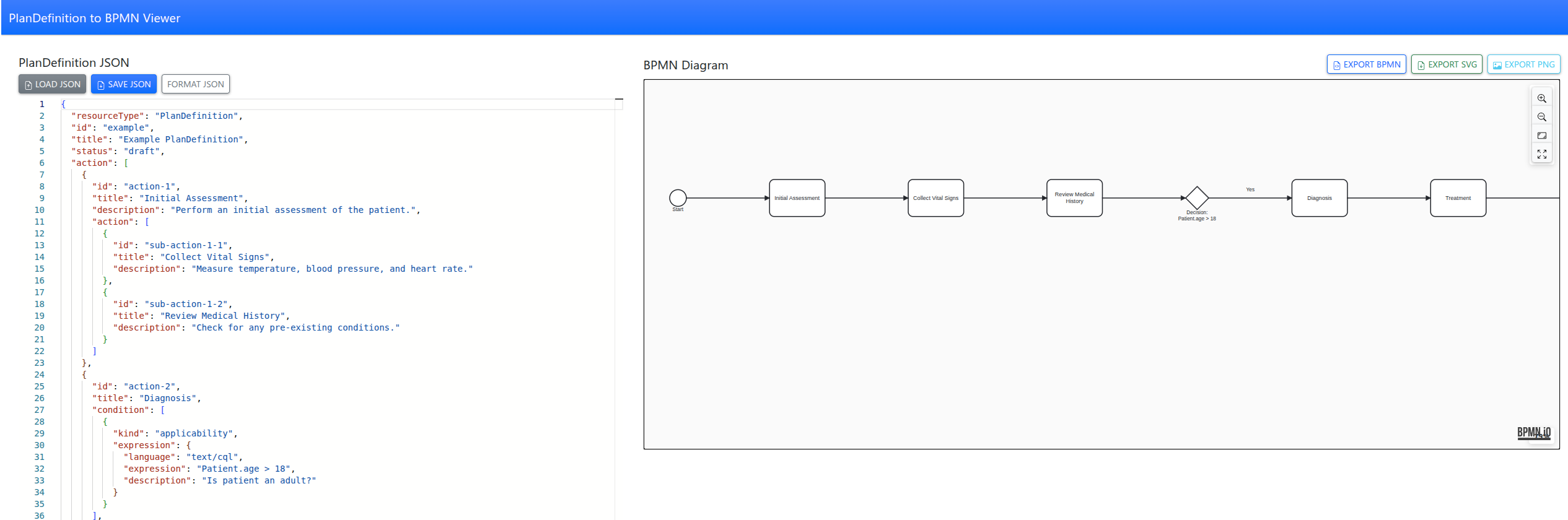
Tool to convert FHIR PlanDefinitions into interactive BPMN diagrams with a simple web app, making complex care pathways easy to visualize and understand.